How Paper Applications work
When using the Application Portal, some communities offer a Paper Applicaton as an alternative to submitting online. Communities do this for several reasons.
- An older population.
- A "Privacy Applicaton".
- As a "News Letter". The Paper Applicaton doubles as an "Announcement" with instructions.
- A way to make an exception to your online applications strict policies.
- Perhaps you have a required question for 99% of the population but frequently allow 1% to skip the required question.
How much do Paper Applications cost?
It is free for AGS to write your paper application.
There are 2 options for processing a Paper Application.
- Applications mailed to AGS. There is a $10 fee per submission.
- Applications mailed/delivered to you. There is no AGS fee ($0.00) for this option.
How do Paper Applications appear in the Application Portal?
Paper applications appear with a red Pencil icon. 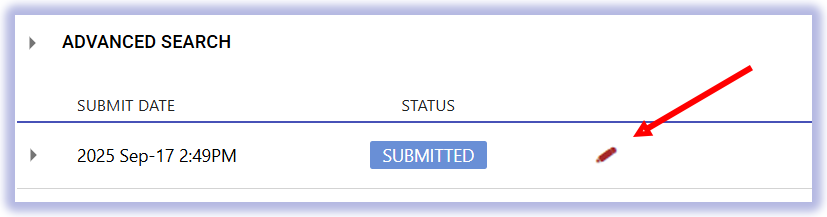
How do patrons submit a payment if they are mailing the application to AGS?
Check.
How are Paper Applications processed and approved?
The same way online applications are processed.
How do I to request AGS to write a Paper Application for free?
Contact our account representative.